🎨 People, colors, and tagging
Add your family under People — each person gets a color and any nicknames. Kids don't need accounts; a person on the calendar is enough.
How tagging works
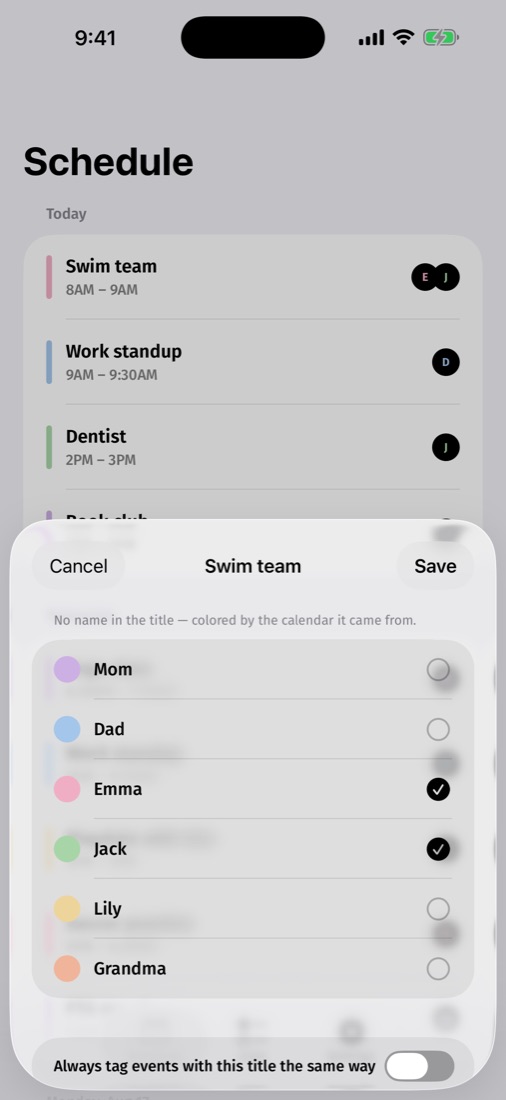
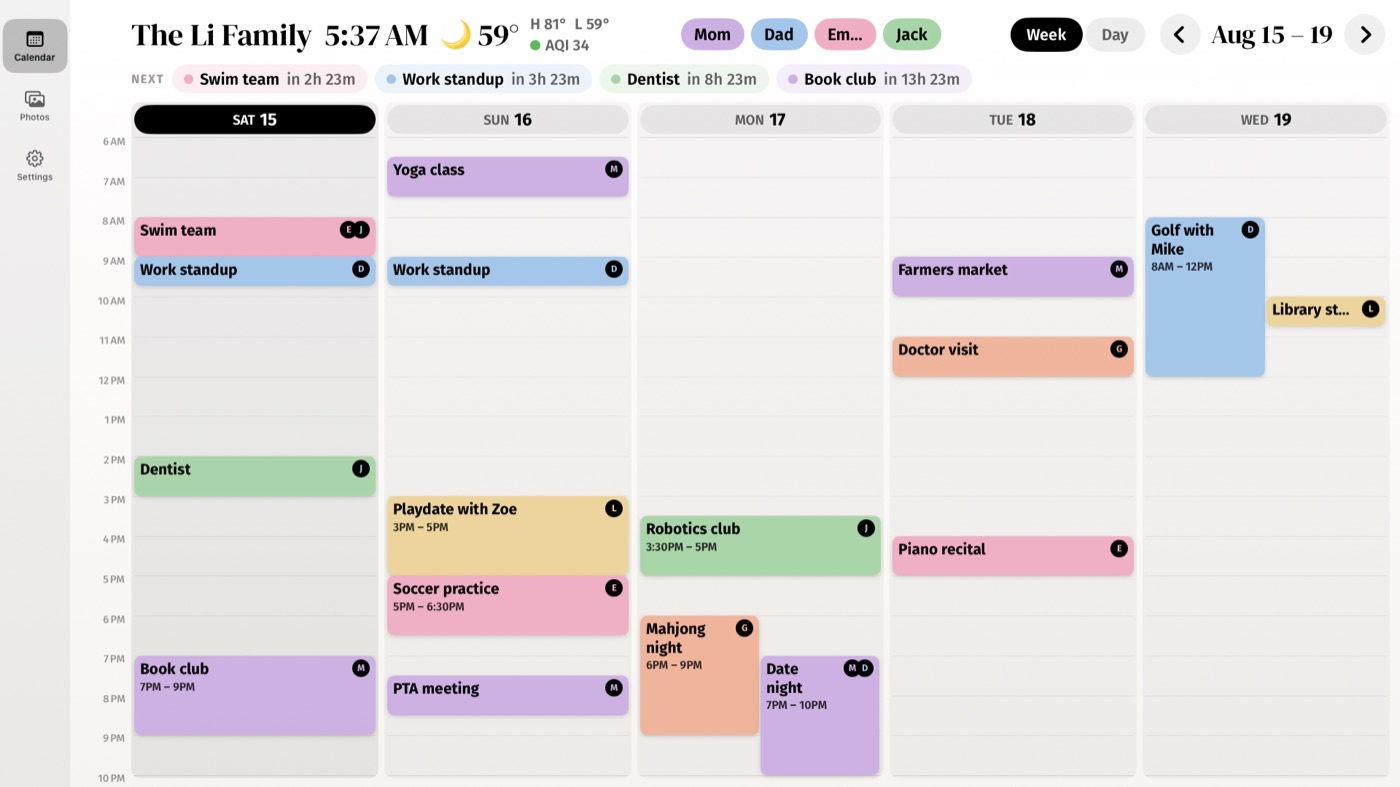
Callie reads event titles and works out whose event is whose: "Maya dentist" tags Maya, "M — swim" matches her nickname. Events it can't place show in the family color.
When it guesses wrong
Open the event and pick the right person — one tap fixes the whole series, and Callie remembers the rule ("Swim lesson is always Maya's") for next time. The more nicknames you add, the better it guesses.
See one person's week
Tap a name pill at the top of the board to dim everyone else. Tap again to bring the family back.
Keep going
- Create your family — Accounts, passkeys, and inviting up to five more adults.
- Add your calendars — Get the private feed link from iCloud or Google and paste it in.
- Link your screens — Put the board on every Apple TV, iPad, and iPhone with a 6-digit code.
Stuck? Contact us for help.