The Apple TV has no calendar app. Here’s what to use instead.
Every few months someone gets a new Apple TV, goes looking for the Calendar app, and discovers it isn't there. It never has been: tvOS ships Music, Photos, and Fitness, but no Calendar, no Reminders, and no official way to see your iCloud schedule on the television. If you want a calendar on an Apple TV, it's third-party apps or workarounds. We make one of those apps (Callie), so consider the source; here's the full picture anyway.
The workarounds, and why they don't stick
AirPlay mirroring from an iPhone or Mac puts Calendar on the TV instantly, and stops the moment the phone sleeps or leaves. Good for a Sunday-night planning session, useless as an always-on display.
The Photos trick (screenshotting your calendar into a shared album shown as a screensaver) is a real thing people do, and it's exactly as stale as it sounds by Tuesday.
What a real tvOS calendar app has to do
The Apple TV has no browser and no sign-in flow you'd wish on anyone, so a good calendar app has to solve three problems: getting your calendars in without typing passwords with a remote, staying current all day without a phone nearby, and being readable from the couch, which is a genuinely different design problem than a phone calendar. Ten-foot readability means bigger type, fewer controls, and a week that scans by color before it scans by text.
How Callie does it
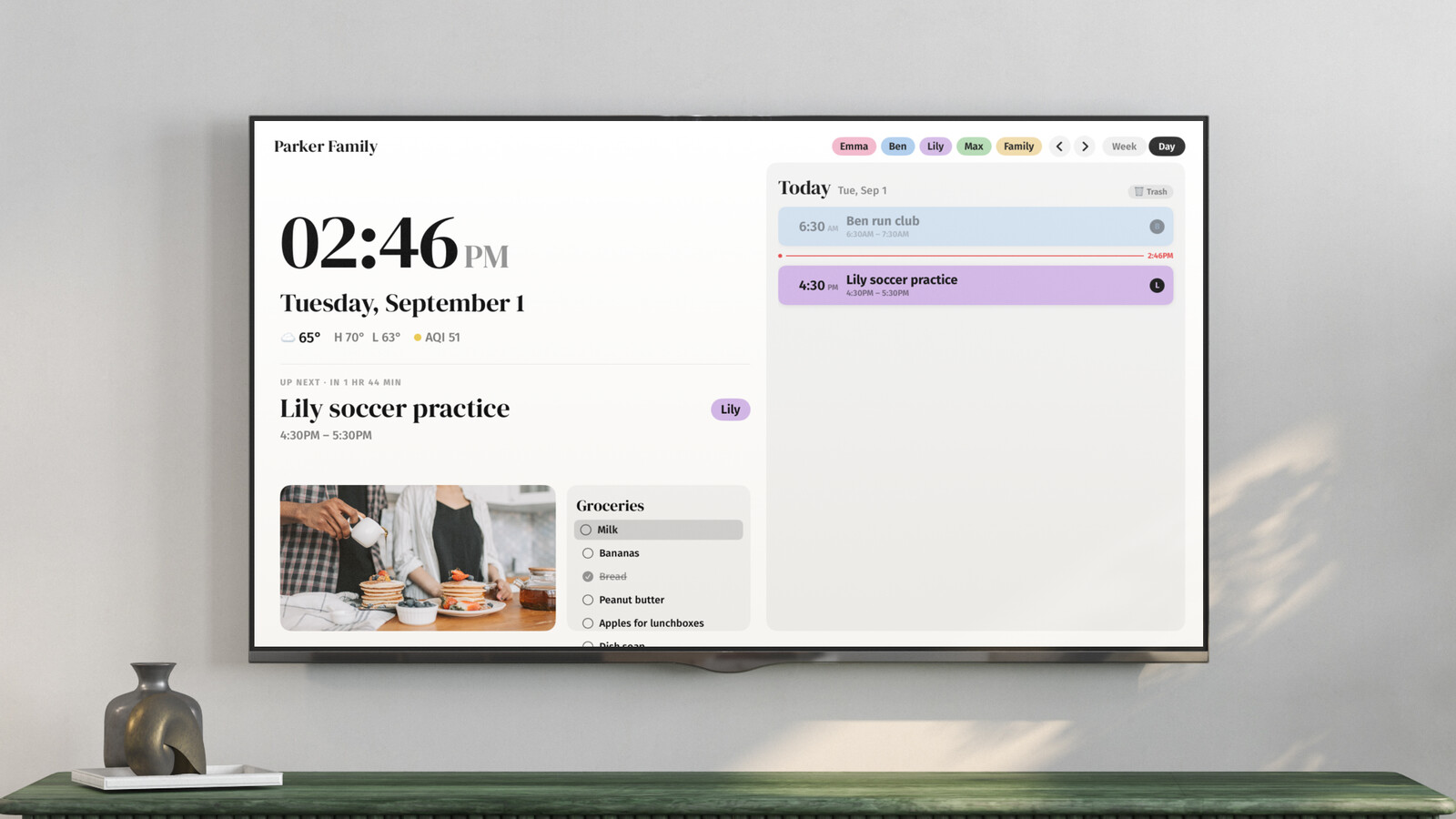
Callie is a family calendar built for exactly this screen. The setup dance is designed around the remote's limitations: the Apple TV shows a 6-digit code, you type it into the web app on your phone, and the screen is linked. No credentials ever touch the TV. Calendars come in as the private feed links iCloud and Google already publish (how to find yours), so Callie never asks for your Apple or Google password and can't modify anything.
On screen, everyone in the family gets a color, and Callie works out whose event is whose from names and nicknames in event titles, so "Jake dentist 3:00" lands in Jake's column, in Jake's color. When the calendar's idle, the screen becomes a photo frame pulling from an iCloud or Google Photos shared album, and shared lists and weekly reminders keep groceries and trash day next to the week. It's $3/month per family (unlimited screens, up to six family members with their own sign-in), with a 14-day free trial.
Other apps on the tvOS App Store
Search "calendar" on the Apple TV App Store and you'll find a handful of simpler display apps: grid-view calendars that render an ICS feed or your synced accounts on screen, some with themes, some with one-time prices. If all you want is this month's grid on the TV, one of those may be plenty. The differences to check before you commit: whether it handles multiple calendars, whether it can tell family members apart, how it refreshes (some only update when opened), and whether it does anything useful when you're not looking at events.
Will Apple ever ship one?
People have predicted a tvOS Calendar app for a decade of WWDCs. Apple has instead kept the Apple TV pointed at entertainment, and there's no public sign that's changing. The practical answer in 2026 is the one above: pick a third-party app built for the ten-foot view. Ours starts with a 14-day free trial, if you want to see what Apple's been leaving on the table.
Keep reading
- The best family calendars in 2026: apps, displays, and your TV
- 6 Skylight Calendar alternatives worth a look in 2026
- Is the Skylight Calendar worth it? The five-year math
Callie puts the family calendar on the Apple TV, iPad, and iPhone you already own. See how it works or start free.