Aura vs Skylight Frame vs Nixplay: digital photo frames compared
Digital photo frames have settled into three serious brands (Aura, Skylight, and Nixplay) plus one option most comparisons skip: the TV you already own. They differ less in screen quality than in what you pay after the box arrives. Here's how they stack up on price, subscription, and who each one is for. (We make Callie, the TV option, and we own and like an Aura. Prices checked October 2026.)
The short version
| Price | Subscription | Shows a calendar? | |
|---|---|---|---|
| Aura | $149–$299 | None | No |
| Skylight Frame 2 | $159.99–$299.99 | Optional, $39/year | No |
| Nixplay | Often on sale | $19.99–$29.99/year for real storage | No |
| Callie on your TV | $0 on an Apple TV, iPad, or iPhone you own | Free in beta, then $3/month | Yes |
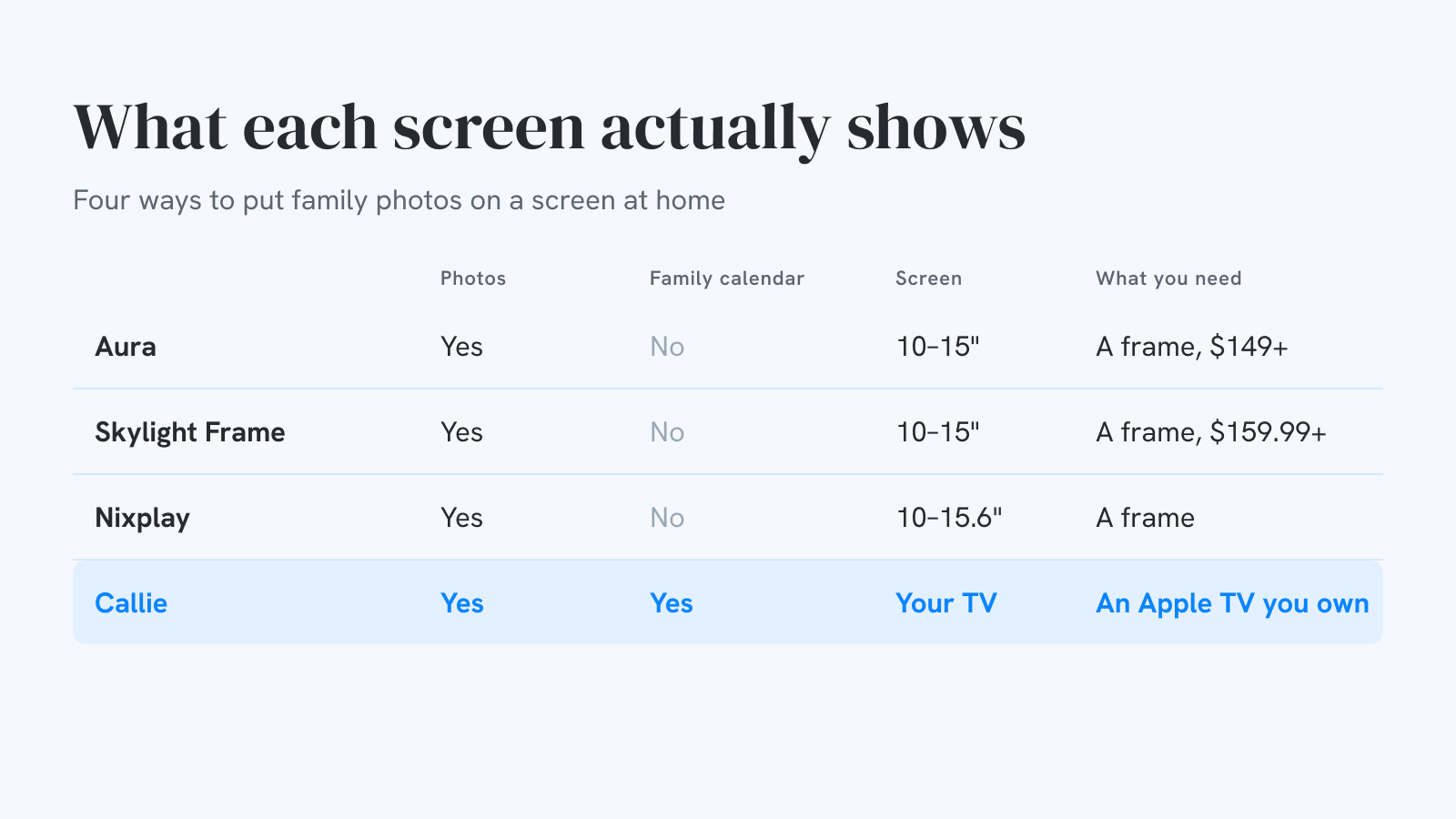
Aura: the one we'd gift
Aura's lineup is the Carver 10" ($149), Aspen 12" ($229), and Walden 15" ($299 list, on sale lately for $239), plus the 13" Aura Ink e-paper frame at $499. The headline feature is what's missing: there's no subscription, and storage is unlimited. The screens are matte and tuned to look like a print on a shelf, and you can set one up from your own phone before it ever reaches the person you're giving it to.
We have one at home and it's the frame we recommend when someone asks. Its limits are the limits of the category: a 10–15" screen, and photos only.
Skylight Frame 2: the email-a-photo classic
The Skylight Frame 2 runs $159.99 for 10" and $299.99 for 15", with wood and shadow-box styles a bit higher. Its trick has always been that anyone can email photos to the frame's address, which suits relatives who'd never install an app. The basics work free; Skylight Plus ($39/year for the frame) adds albums, remote settings, cloud backup, and video. Skylight's calendar lives on a different device, the Skylight Calendar, with its own $79/year Plus plan. We covered that one in the five-year math.
Nixplay: cheapest up front, watch the plan
Nixplay sells 10.1" and 15.6" touch frames and discounts them often. The catch is the cloud: in 2025 Nixplay cut its free tier, which now holds 500 MB of photos (a few hundred phone pictures) with 15-second video clips. Nixplay Basic ($19.99/year) raises that to 100 GB, and Nixplay Plus ($29.99/year) makes photo storage unlimited. Budget for a plan if you want the frame to keep filling up.
The TV: the biggest frame in the house
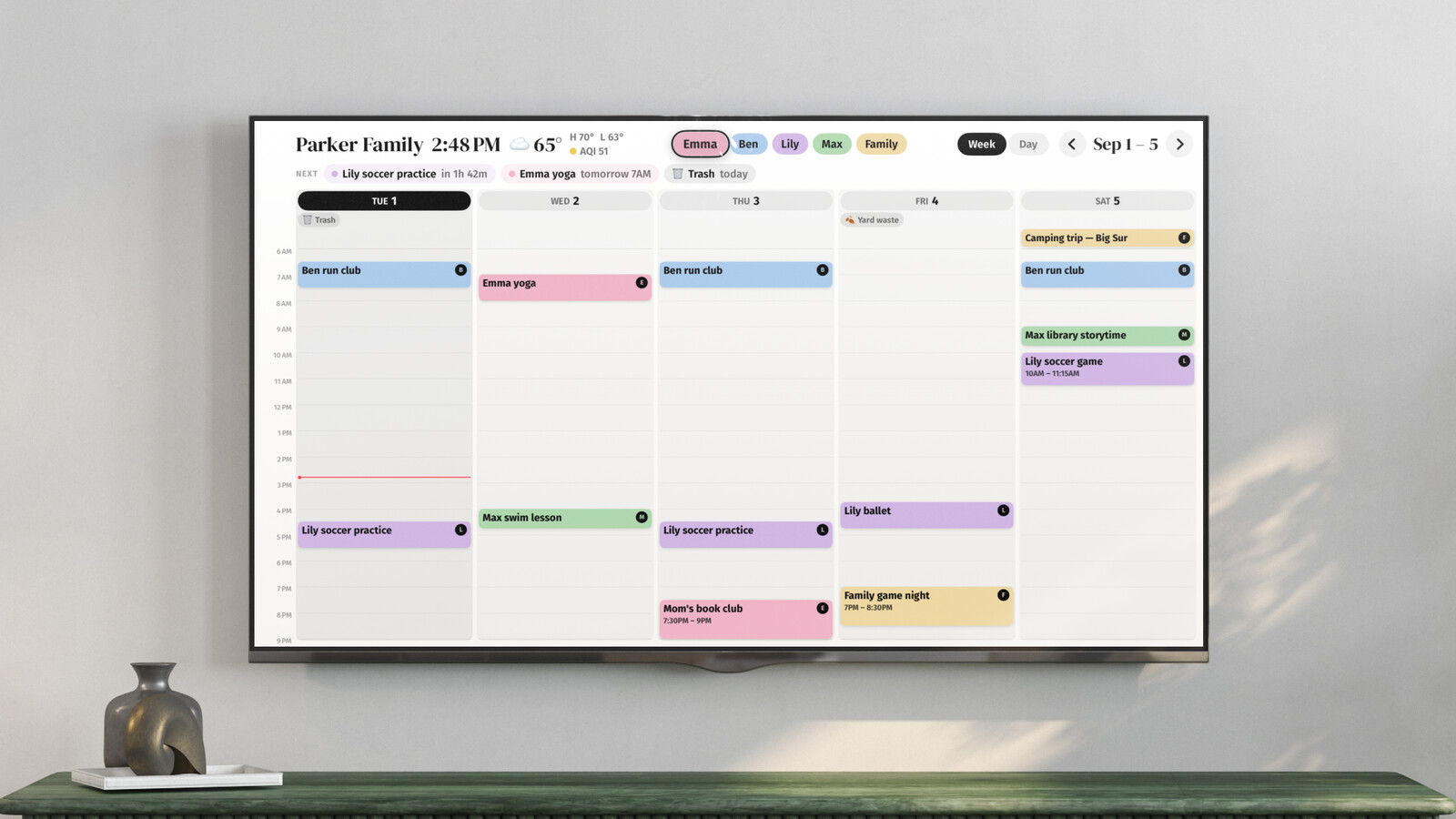
Every living room already has a high-resolution screen that sits dark most of the day. Callie runs on the Apple TV (plus iPad and iPhone) and does double duty: the family week when you want it, everyone in their own color, and a slideshow from an iCloud Shared Album or Google Photos shared album when you don't. Photos stream from Apple's or Google's servers straight to the screen, never through ours, and anyone subscribed to the album can add to it from their phone.
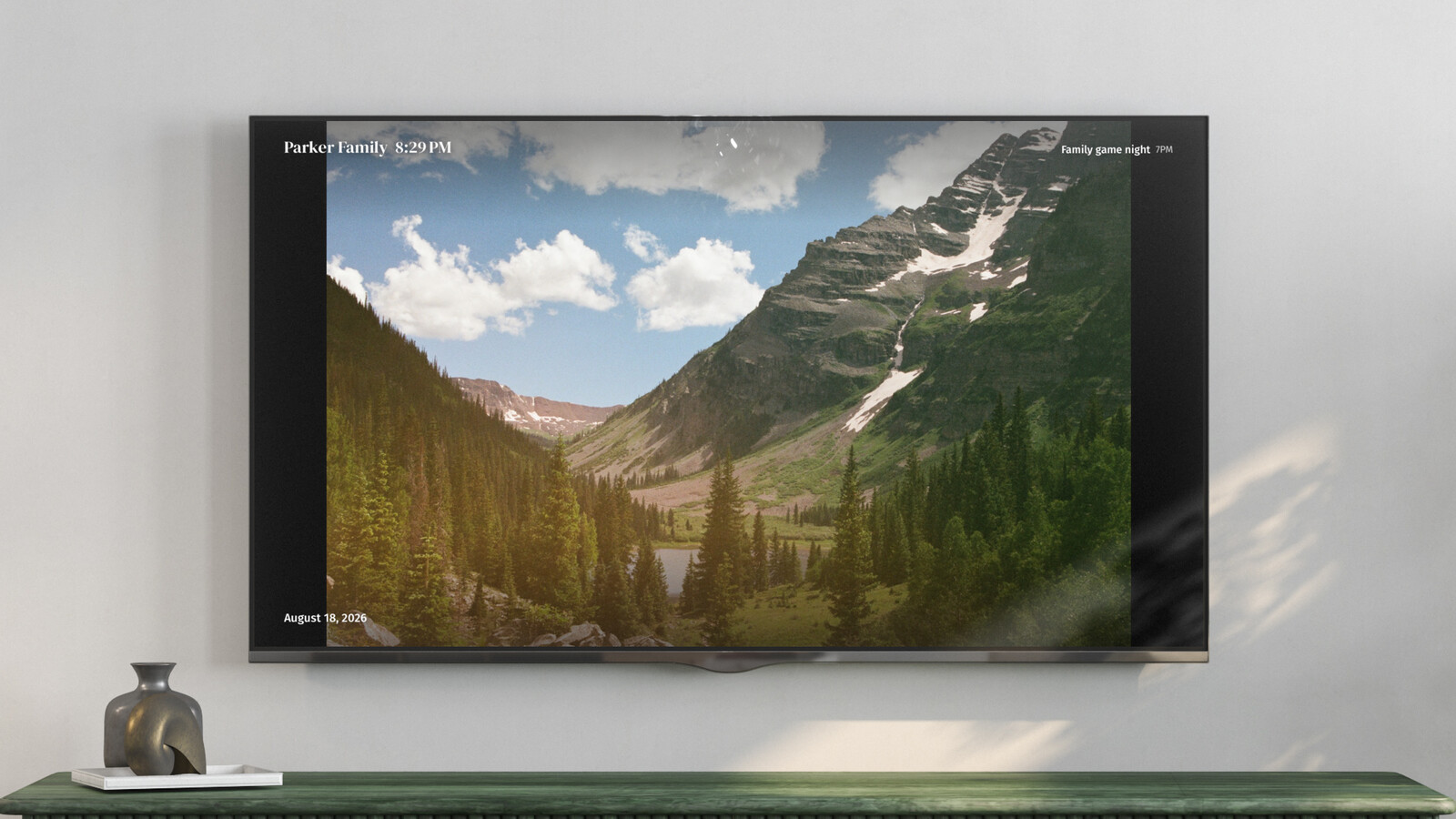
It's not a substitute for a frame everywhere. You won't put a TV on a nightstand or mail one to your parents. It's the answer for the room where the family schedule lives.
How to choose
- A gift for grandparents: Aura. No subscription for them to inherit, and setup happens on your phone.
- Relatives who only do email: Skylight Frame. Email-to-frame is still the lowest bar there is.
- Lowest sticker price: Nixplay on sale, if you're fine adding a $20–30/year plan.
- The kitchen or living room: your TV with Callie, because that's where a frame that also knows the schedule pays off. How it compares with the Aura we own.
Keep reading
- The best family calendars in 2026: apps, displays, and your TV
- 6 Skylight Calendar alternatives worth a look in 2026
- Is the Skylight Calendar worth it? The five-year math
Callie puts the family calendar on the Apple TV, iPad, and iPhone you already own. See how it works or start free.